
























Nano Banana in OpenAI format
Keep the OpenAI image code you already have and get Google's Nano Banana, at 50% off Google's price.
Use it from the OpenAI SDK
In Python or Node, set the base URL to https://api.haryai.com/v1, the model to a Nano Banana id and the key to your HaryAI key. The rest of your script stays as it is.
import base64, os
from openai import OpenAI

client = OpenAI(base_url="https://api.haryai.com/v1", api_key=os.environ["HARYAI_KEY"])

img = client.images.generate(
    model="gemini-nano-banana-2.1",
    prompt="A cup of green tea on a wooden table by a window, morning light",
    size="1536x1024",
)
open("tea.png", "wb").write(base64.b64decode(img.data[0].b64_json))

edit = client.images.edit(
    model="gemini-nano-banana-2.1",
    image=open("tea.png", "rb"),
    prompt="Make the cup bright red, keep everything else the same.",
)
open("tea-red.png", "wb").write(base64.b64decode(edit.data[0].b64_json))import fs from "node:fs";
import OpenAI from "openai";
const client = new OpenAI({ baseURL: "https://api.haryai.com/v1", apiKey: process.env.HARYAI_KEY });
const img = await client.images.generate({
model: "gemini-nano-banana-2.1",
prompt: "A cup of green tea on a wooden table by a window, morning light",
size: "1536x1024",
});
fs.writeFileSync("tea.png", Buffer.from(img.data[0].b64_json, "base64"));
const edit = await client.images.edit({
model: "gemini-nano-banana-2.1",
image: fs.createReadStream("tea.png"),
prompt: "Make the cup bright red, keep everything else the same.",
});
fs.writeFileSync("tea-red.png", Buffer.from(edit.data[0].b64_json, "base64"));Edit a photo by saying what to change
Send the photo to /v1/images/edits with a prompt that says what to change. Below, we asked for a bright red cup with everything else left alone. Only the cup changed.
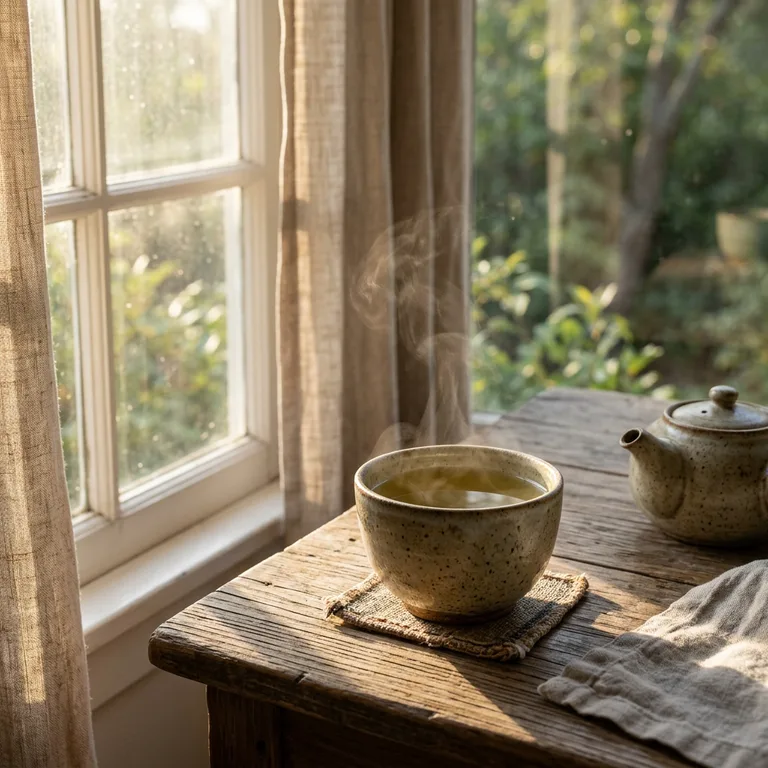
Before
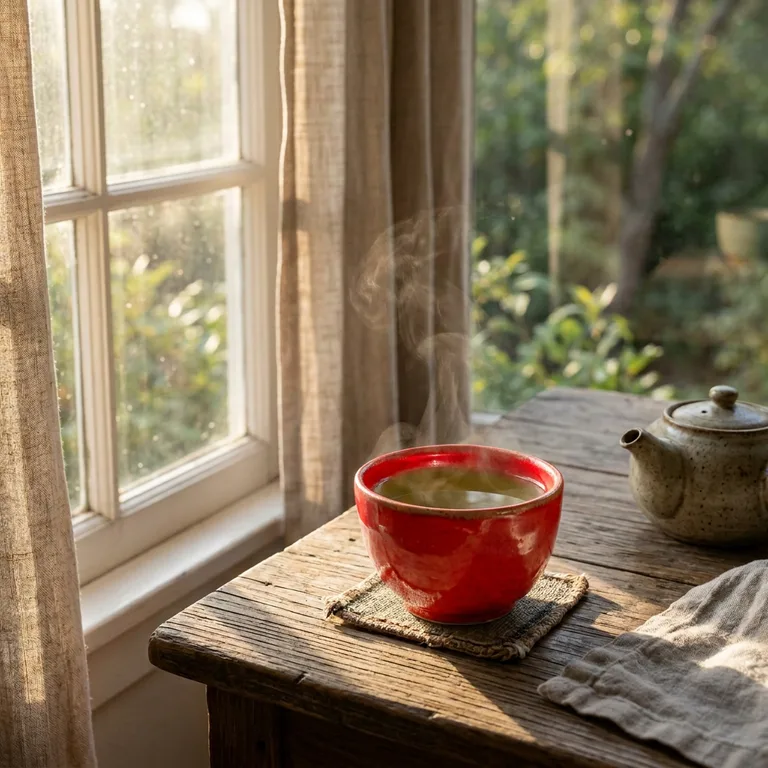
After
curl https://api.haryai.com/v1/images/edits \
  -H "Authorization: Bearer $HARYAI_KEY" \
  -F model=gemini-nano-banana-2.1 \
  -F "prompt=Make the cup bright red, keep everything else the same." \
  -F "image=@tea.png"
What each size gets you
An OpenAI size maps to the closest Nano Banana aspect ratio and tier (1K, 2K or 4K), and the tier sets the price.
- 1024x1024
- 1K, square (1:1)
- 1536x1024
- 2K, 3:2
- 1024x1536
- 2K, 2:3
- aspect_ratio + image_size
- Pick the ratio (16:9, 9:16 and others) and 1K, 2K or 4K yourself
- No size
- A new image comes back 1K square; an edit comes back 1K in the shape of your photo
Prices
| 1K | 2K | 4K | ||
|---|---|---|---|---|
| Nano Banana 2.1 | Official, per image | $0.0336 | $0.0504 | $0.1134 |
| HaryAI, per image | $0.0168 | $0.0252 | $0.0567 | |
| Nano Banana 2 | Official, per image | $0.0672 | $0.1008 | $0.1512 |
| HaryAI, per image | $0.0336 | $0.0504 | $0.0756 |
US dollars. A request that fails isn't charged.
Questions
Will the tool I already use work?
If it lets you set an OpenAI base URL and type in a model name yourself, yes. A tool that only offers OpenAI's own model list can't reach Nano Banana.
Do I get a link or the image?
The image itself, as b64_json. There's no link, so nothing expires.
Can one request make several images?
No, n has to be 1. Send requests in parallel if you need more.
Can I use a mask for edits?
No. Say in the prompt what to change.
Does Gemini's own format still work?
Yes. generateContent and OpenAI chat completions keep working on the same key and the same balance.
Do I need a Google Cloud account?
No. You pay as you go from your HaryAI balance.